App Notifications
At any given moment in time some of our services can be subject to disruption, this can be as frustrating for you as it is our drivers! It's often caused by factors that are completely outside of our control such as planned roadworks, emergency road closures, bus stop closures, accidents and a whole load of other things. Sometimes, despite our best efforts, we might suffer the odd technical fault with a bus too...
So, the best way to keep you up-to-date with the most relevant information is via our service update notifications on the Lynx bus app!
How do I turn on notifications in the app?
First download the Lynx app from the App Store or Google Play, create an account and enable notifications.
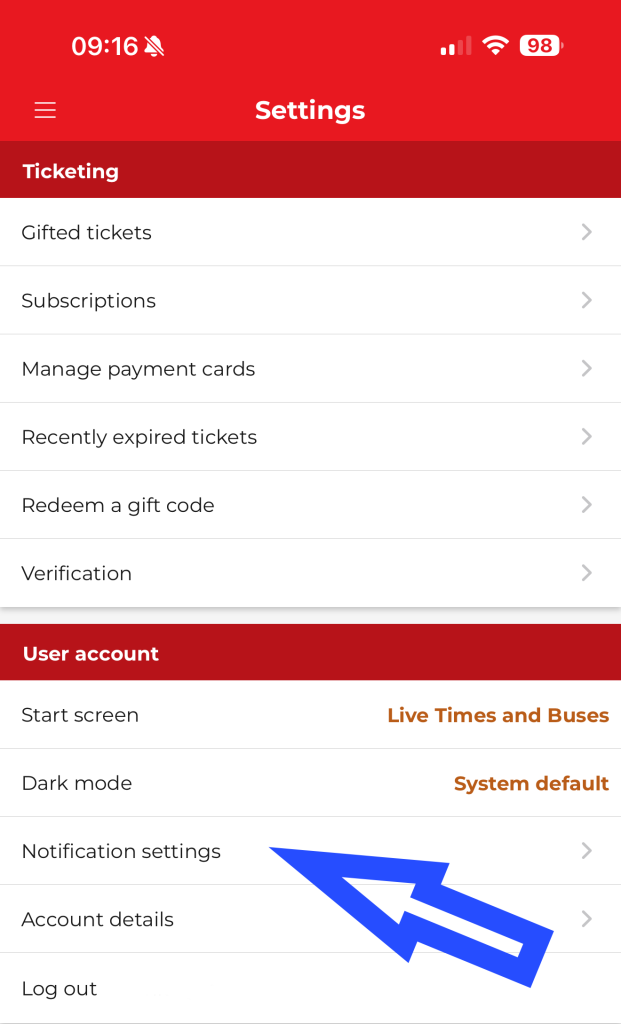
To enable notifications, open the menu from the top left-hand corner of the app and select 'Settings'. Under the 'User Account' sections, go to 'Notification settings'.
Press the toggle on 'Personalised travel alerts and disruptions' to turn on travel alert notifications.
How do I start receiving notifications?
Once you have turned on notifications, you will start to receive travel alert push notifications for any routes and stops that you have added to your favourites. You won't automatically get travel alert notifications for every single route/stop, just ones that you have favourited.
How do I favourite a route or stop in the app?
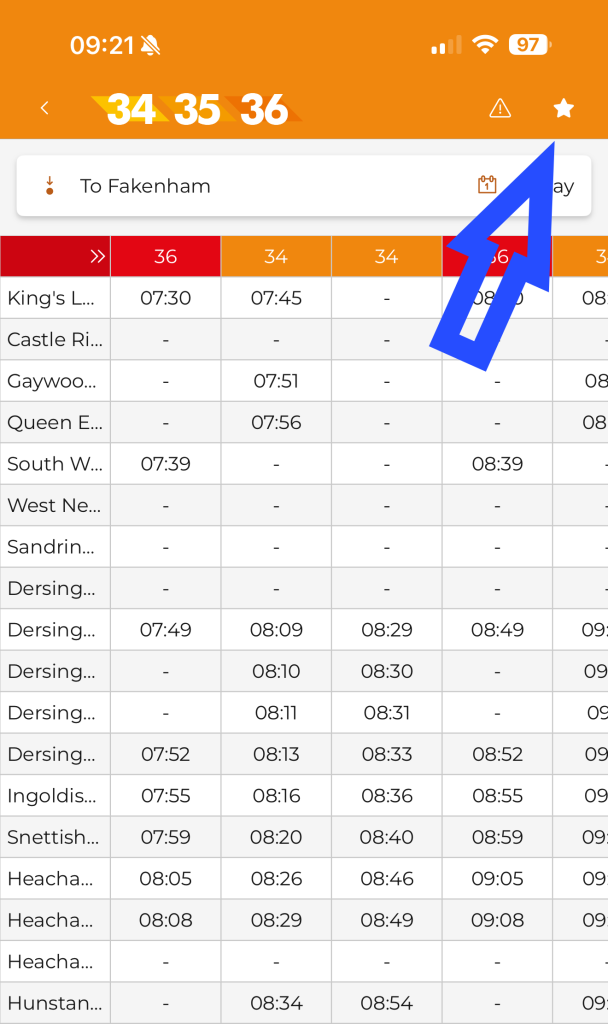
There are several ways to favourite a route. You can tap the star in the top right-hand corner when viewing a routes timetable, or from the home screen, when select a bus to track it, this also sets it as a favourite.
To favourite a stop, either select the bus stop on the map and hit the star on the right-hand side, or you can select the stop whilst looking a a timetable and do the same.
Do I need an app account to start receiving notifications?
Yes, you will need an app account to start receiving notifications.
Will I receive notifications for every route?
No, you will only receive notifications for routes and stops that you have favourited and any network wide announcements.
I've done all of this but I'm still not receiving notifications?
If you have done all these steps and you still aren't receiving notifications, make sure that you have allowed notifications from our app in your device settings.